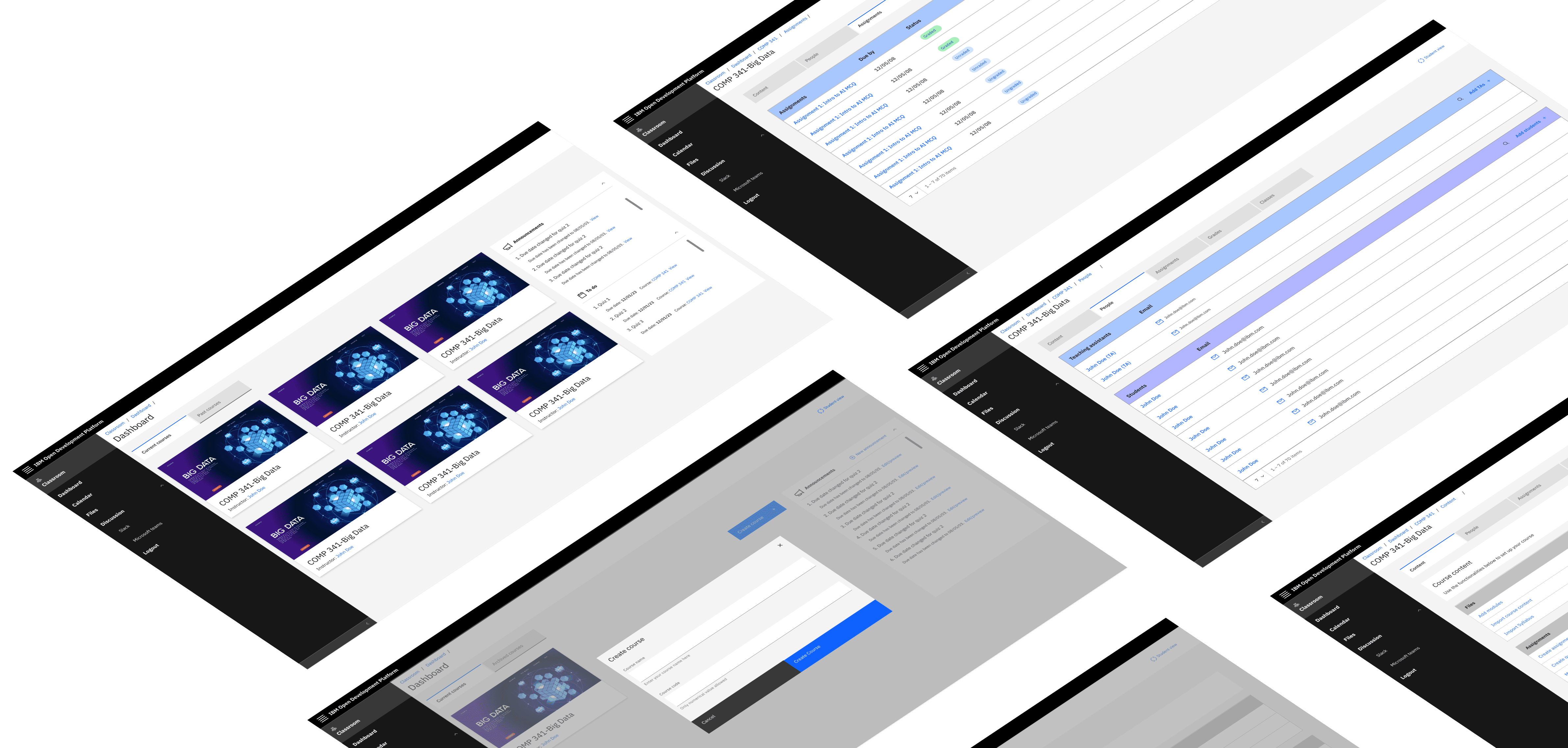
📍Context:
FieldID is a user-friendly mobile application that empowers organizations to manage asset inspections efficiently. It’s designed to track, service, and maintain assets, ensuring compliance and safety standards are met. The app’s powerful reporting functionality allows for real-time insights, while its offline capabilities ensure uninterrupted access to critical data, even in remote locations.
🎨 Design challenges addressed:
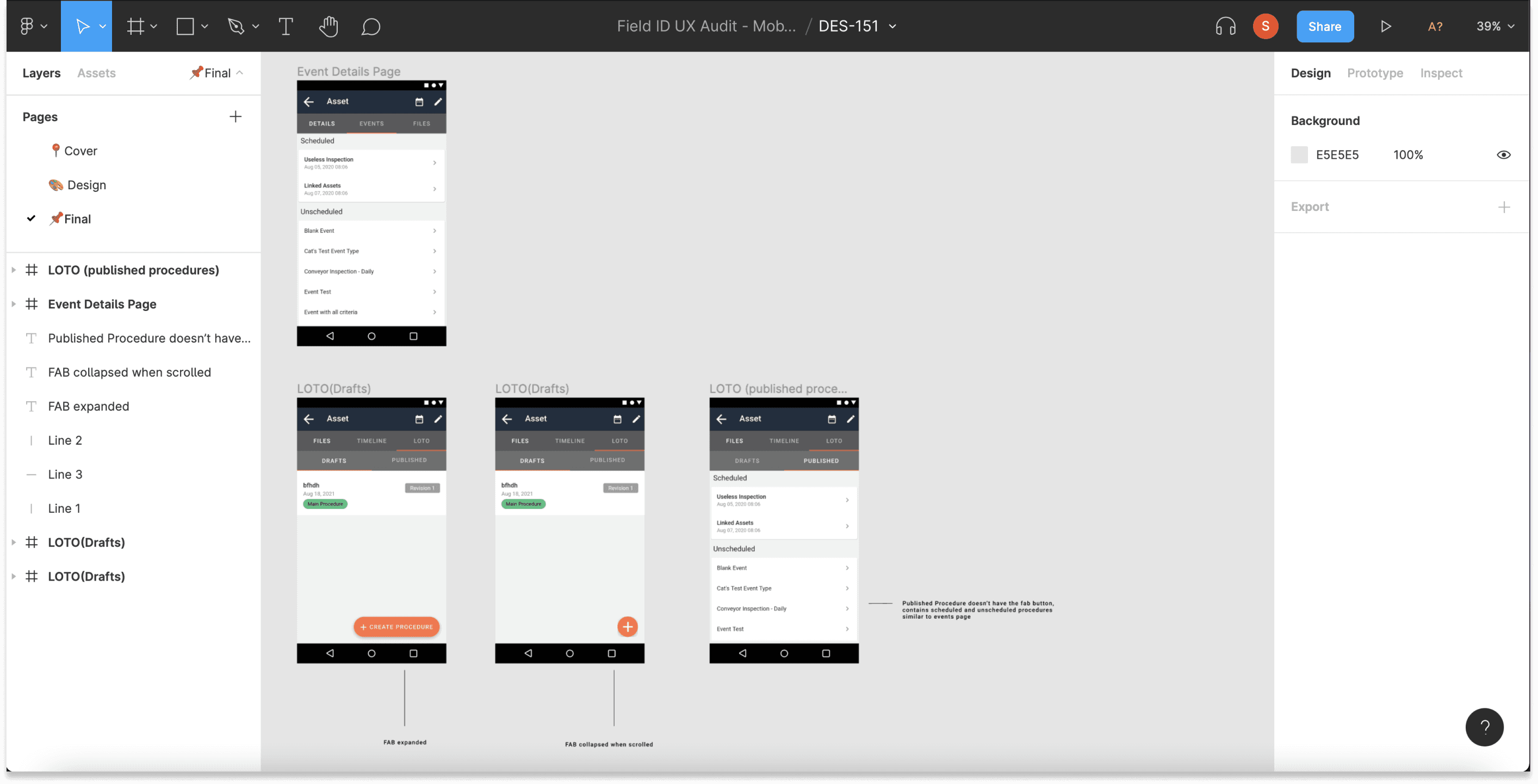
Ticket 1: Improving Design Hand-Off Process:
Challenge: The designers and developers faced challenges in referring to the correct files and not getting all information in an organized manner, causing delays and inconsistencies.
Opportunity: How Might we format/organize files so that anyone who accesses the file can easily find the info they need?.
Approach:
Initial Meeting: I met with the design manager who assigned me the ticket to understand the current hand-off process and identify pain points.
Feedback Sessions: Conducted sessions with designers and developers to gather insights and suggestions for improvement.
Proposed Solution: Proposed a new way to structure design files with a cover that includes ticket name with links to tickets in an organized structure and final designed page separated for developers so there's no confusion .
Implementation: Worked closely with the teams to implement the new process, ensuring clear communication and reducing the chances of misinterpretation.
Designed for bridging the gap

Ticket 2: Scrollable Tabs
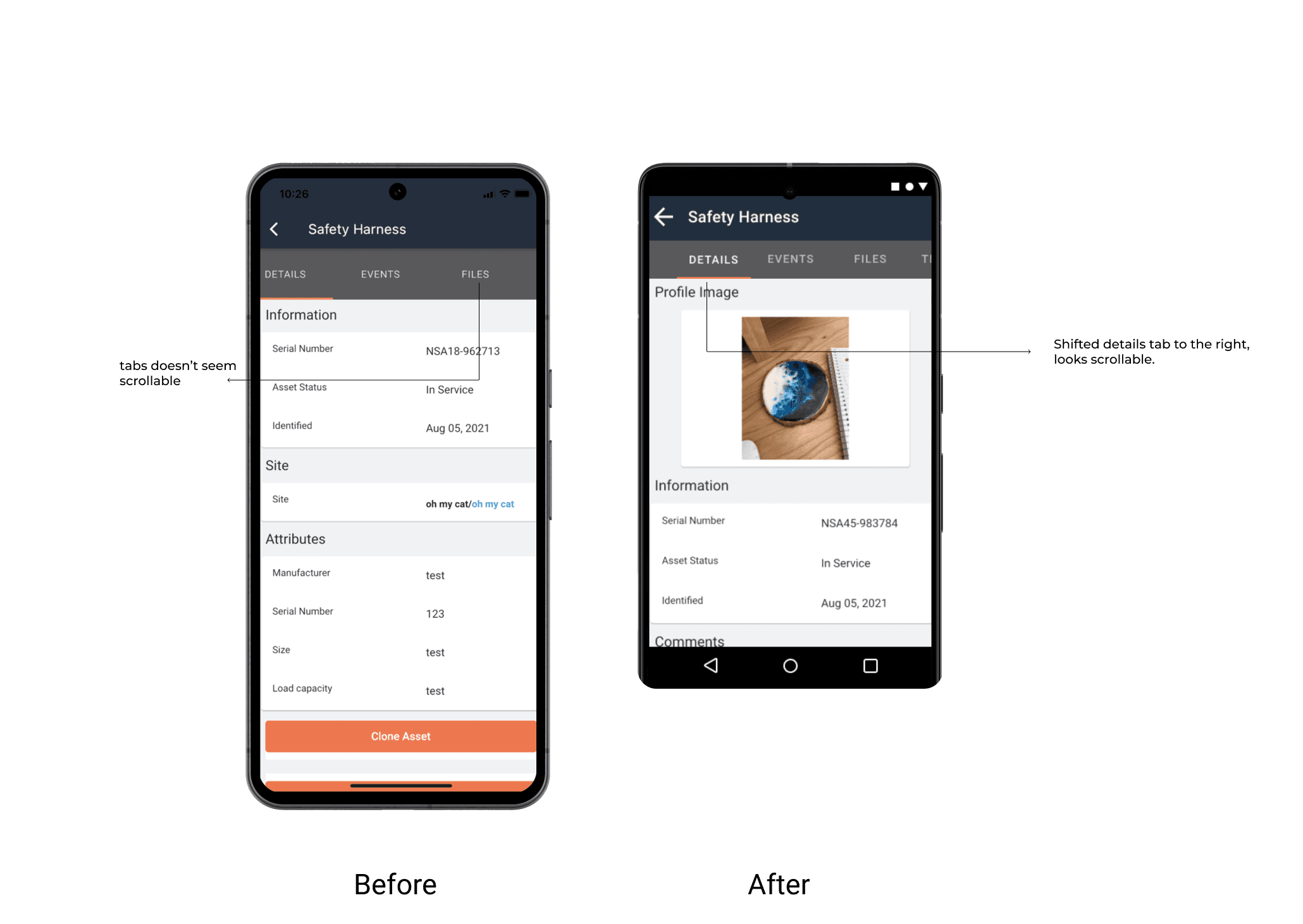
Challenge: Users reported difficulty in navigating through multiple tabs as the tab doesn't seem scrollable.
Approach:
Design Exploration: Collaborated with designers to explore various scrollable tab designs that could enhance user experience without overwhelming the interface.
Prototype and Feedback: Created interactive prototypes and gathered feedback from users, designers, and developers to refine the design.
Final Design: Implemented a scrollable tab feature that allowed users to easily navigate through multiple tabs with smooth scrolling and intuitive indicators.
Ticket 3: Missing Next Button in Mass Event Page
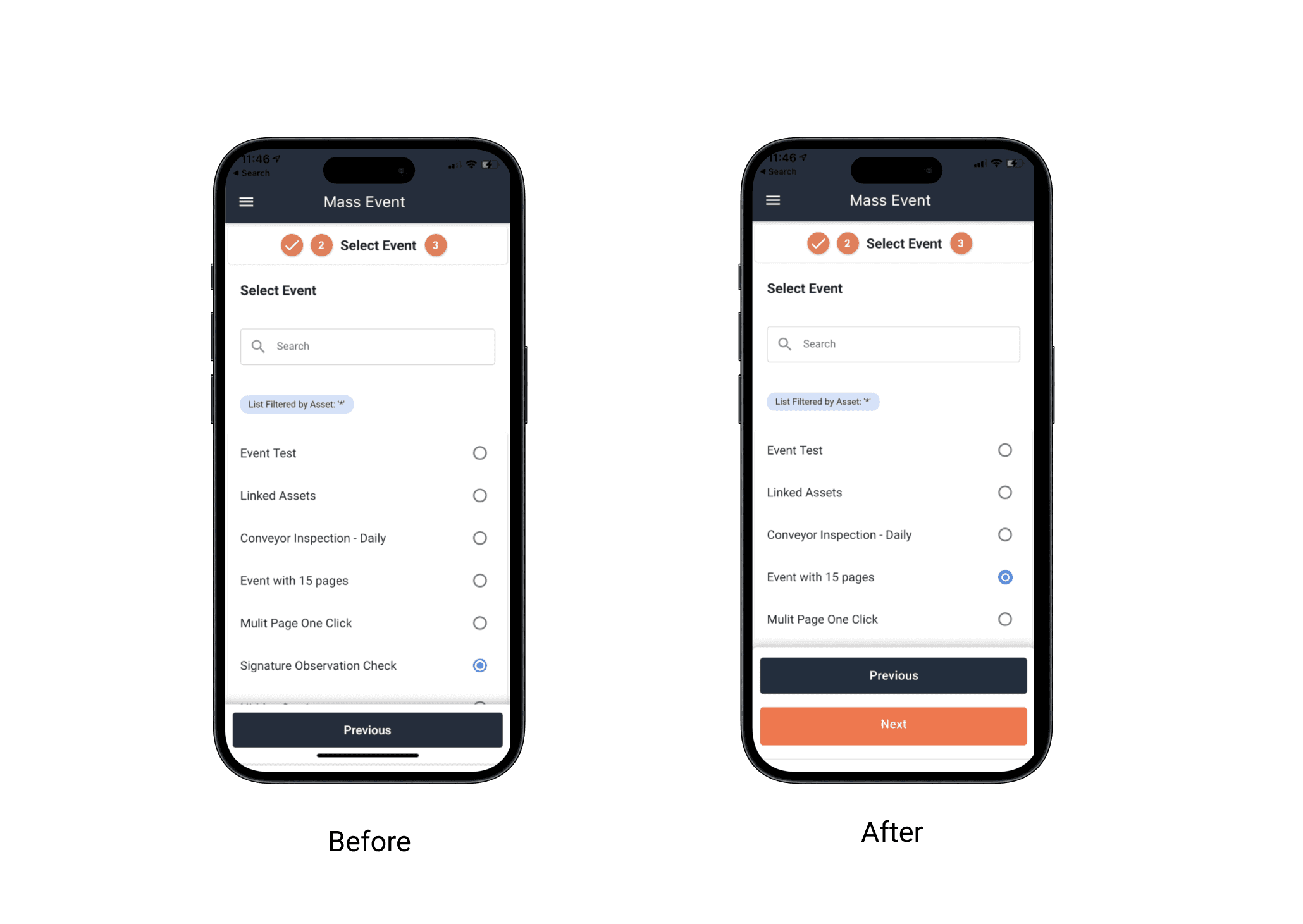
Challenge: Disruption of workflow as users can only move back from the mass event page but not continue forward.
Approach:
Added a next button to the page by ensuring the placement of the button enhanced the user flow without adding clutter to the interface.
Outcome:
The addition of the "Next" button improved user navigation and task completion rates, enhancing the overall usability of the mass event page
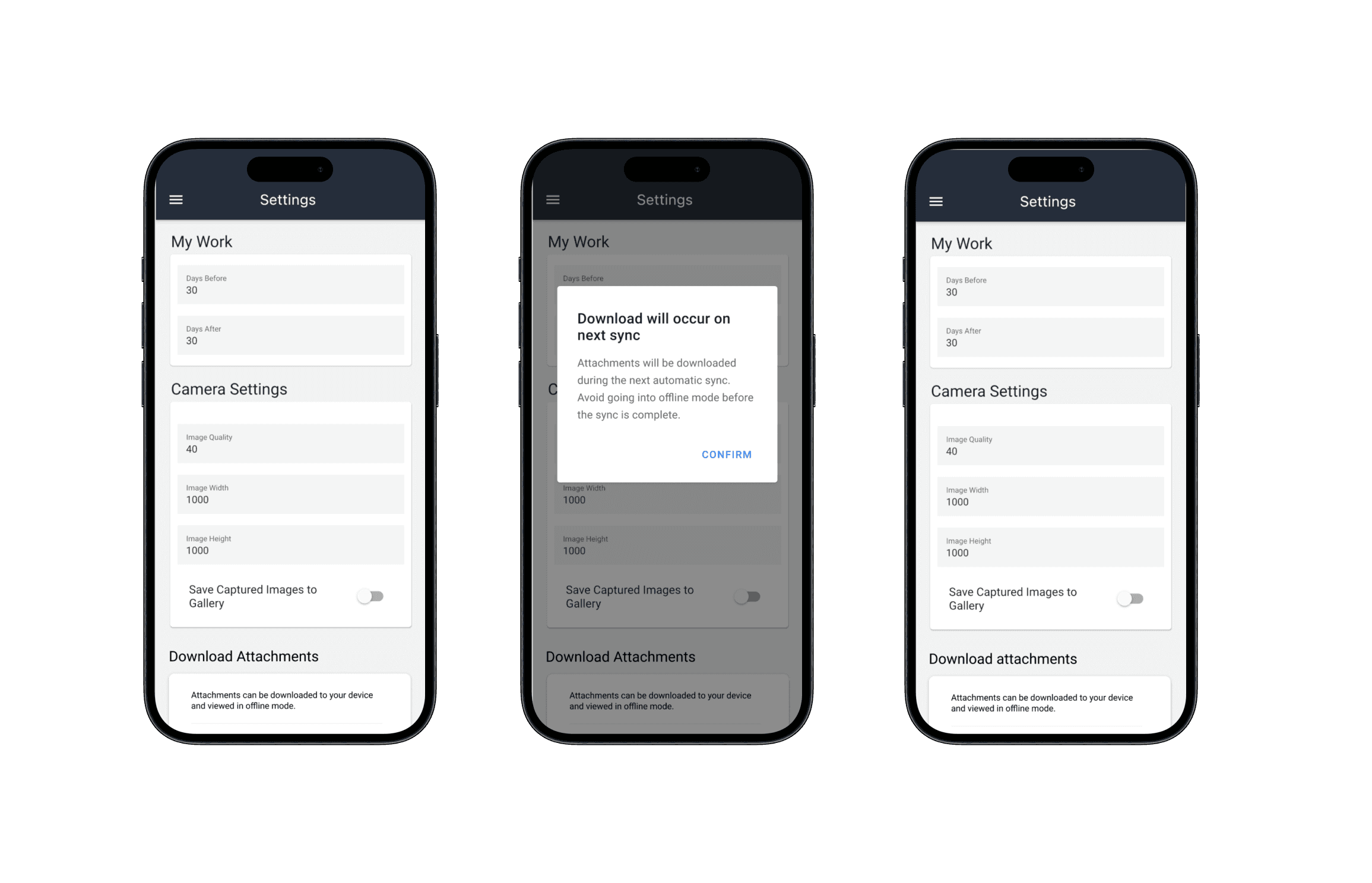
Ticket 4: Download Event Attachments Setting
Challenge: Users needed a way to manage the download of event attachments for offline access, ensuring they could view and edit assets without an internet connection.
Approach:
Requirement Gathering: Worked with the PM to understand the specific requirements and user needs for the download event attachments setting.
Design Concept: Designed a toggle button feature within the settings menu, allowing users to enable or disable the download of event attachments.
Feedback Loop: Presented the concept to designers, developers, and users to gather feedback and make necessary adjustments.
Final Implementation: Developed the final design with a clear and intuitive toggle button that provided users control over their data download preferences
✨ Reflection
The journey of improving FieldID’s user experience was both challenging and rewarding. By addressing specific pain points and collaborating with cross-functional teams, we were able to deliver a more intuitive and efficient mobile app. Each ticket not only improved the functionality of FieldID but also contributed to a safer and more user-friendly work environment for our users.