📍Context:
During Covid-19, when institutional learning was transitioning online, universities and faculties faced major difficulties in conducting virtual labs. With this pain point in mind, the Applications lab platform was developed to meet the needs of educational institutions by providing them with a cloud-based virtual computing lab.
However, due to a time crunch, the platform was quickly developed without adhering to IBM's Carbon design system.
🎯 Goal:
Redesign the platform to create a more usable, intuitive, and meaningful experience following the Carbon design standards.
⚙️ My process:

👥 Getting to know the users:
As a part of exploring the problem space, I started by understanding the goals and needs of three main user bases of the platform: students, teachers, and super admins.
Students: Book or edit reservations to use virtual machines
Teachers: Create, delete, edit, and manage virtual machines reservations
Superadmin: Create, manage, edit, delete reservations, maintaining VMs, adding user groups, generating usage reports etc.
Evaluating the existing product’s UI
I started by doing a heuristic evaluation of the existing screens and performed the major tasks myself to list the UX issues. I played it back to the team for feedback on my findings and recommendations.
For the sake of the case study, I will be showing a few of the main screens with major design issues below:
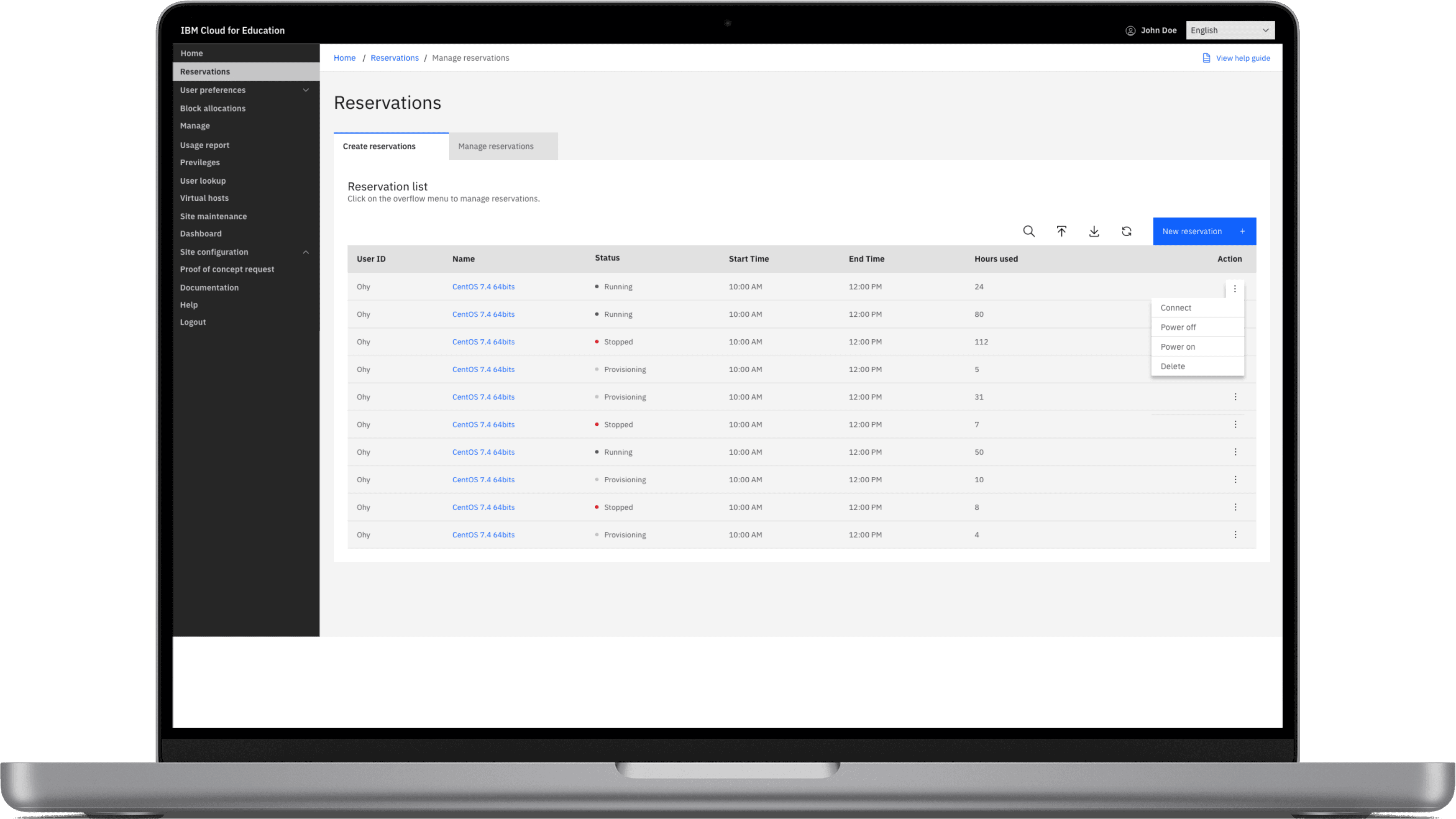
1. Reservation Page
Goal: Instructor is able to make reservations for Virtual Machines to conduct remote lab or class
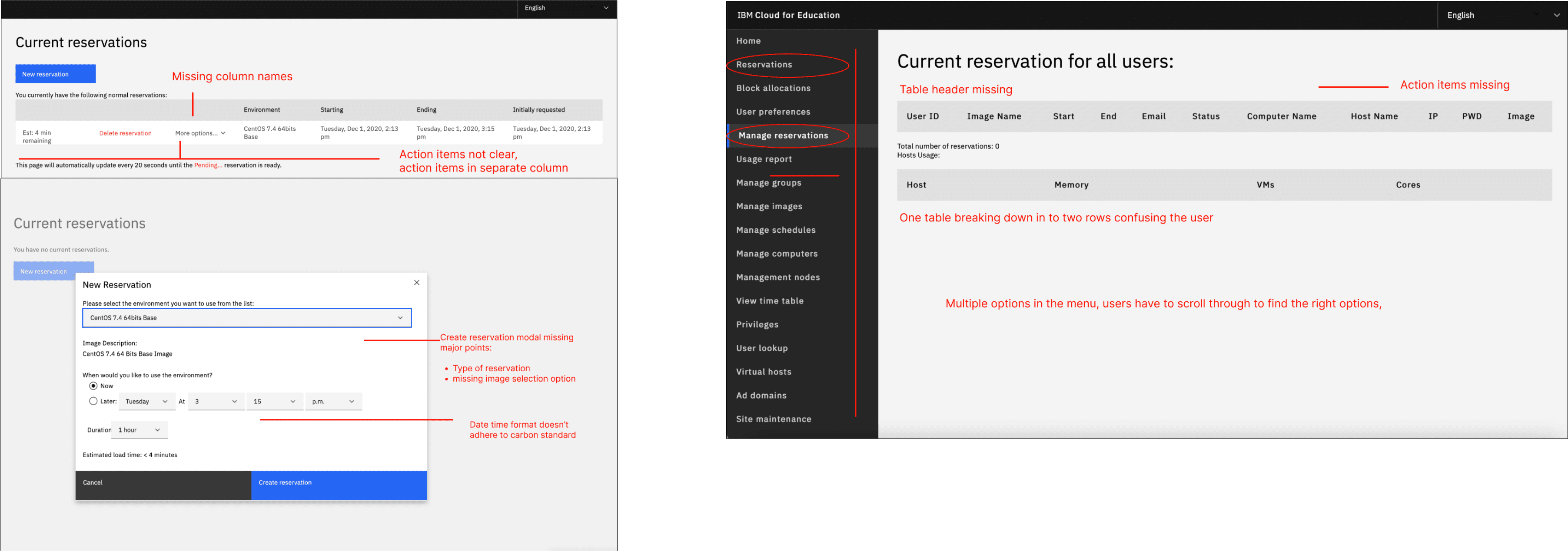
Concerns:
📍 missing headers, inconsistent date/time format,
📍missing important user inputs in creating reservation modal
📍Inconsistent action items
Statistics Page
Goal: Superadmin is able to get high level usage report of the virtual machines
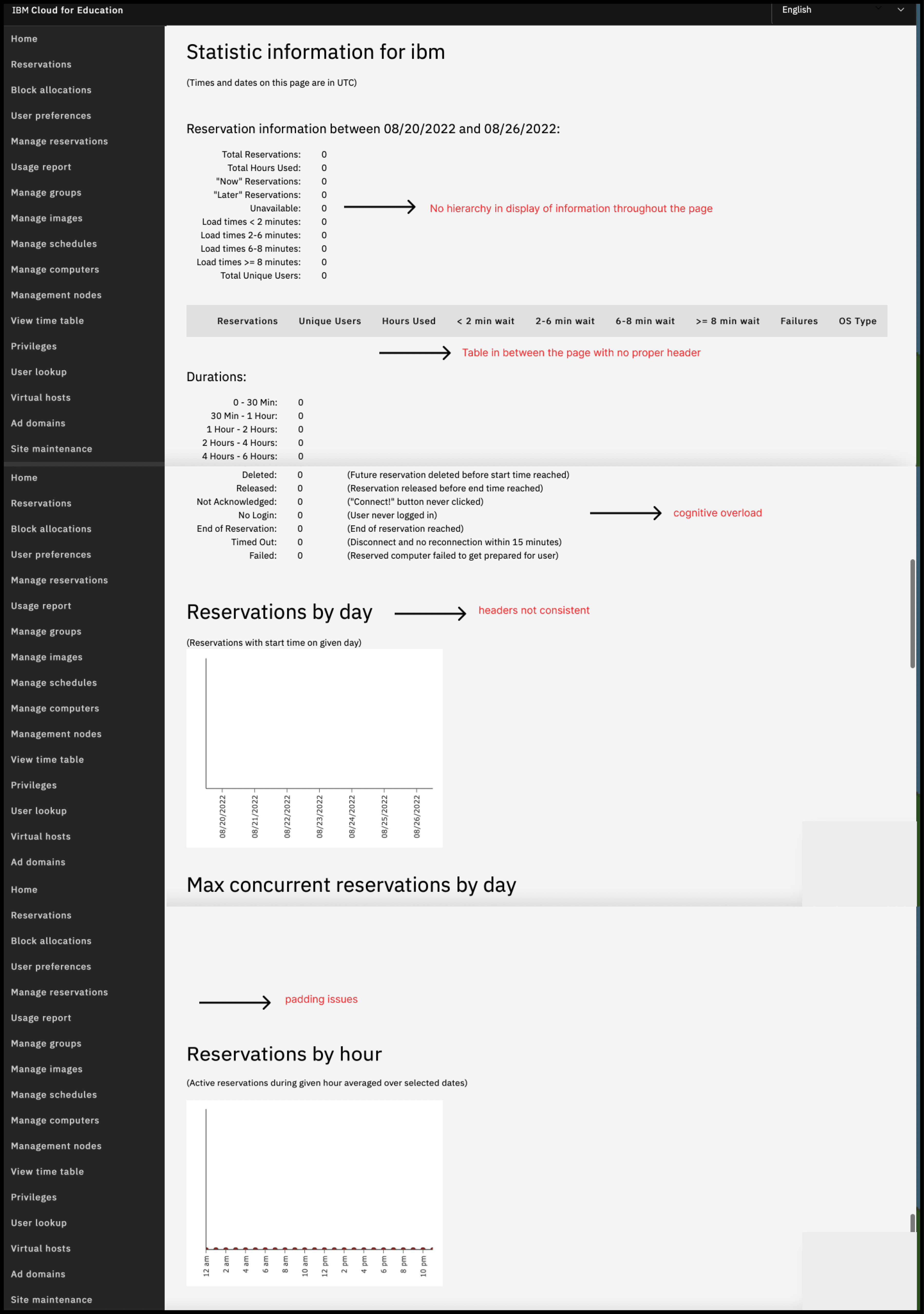
Concerns:
📍doesn't allow the super admin to generate reports for customized dates.
📍 Information overload, the page itself is very long without proper hierarchy of information
📍major padding issues
📍the user needs to scroll down a lot to find all the information.
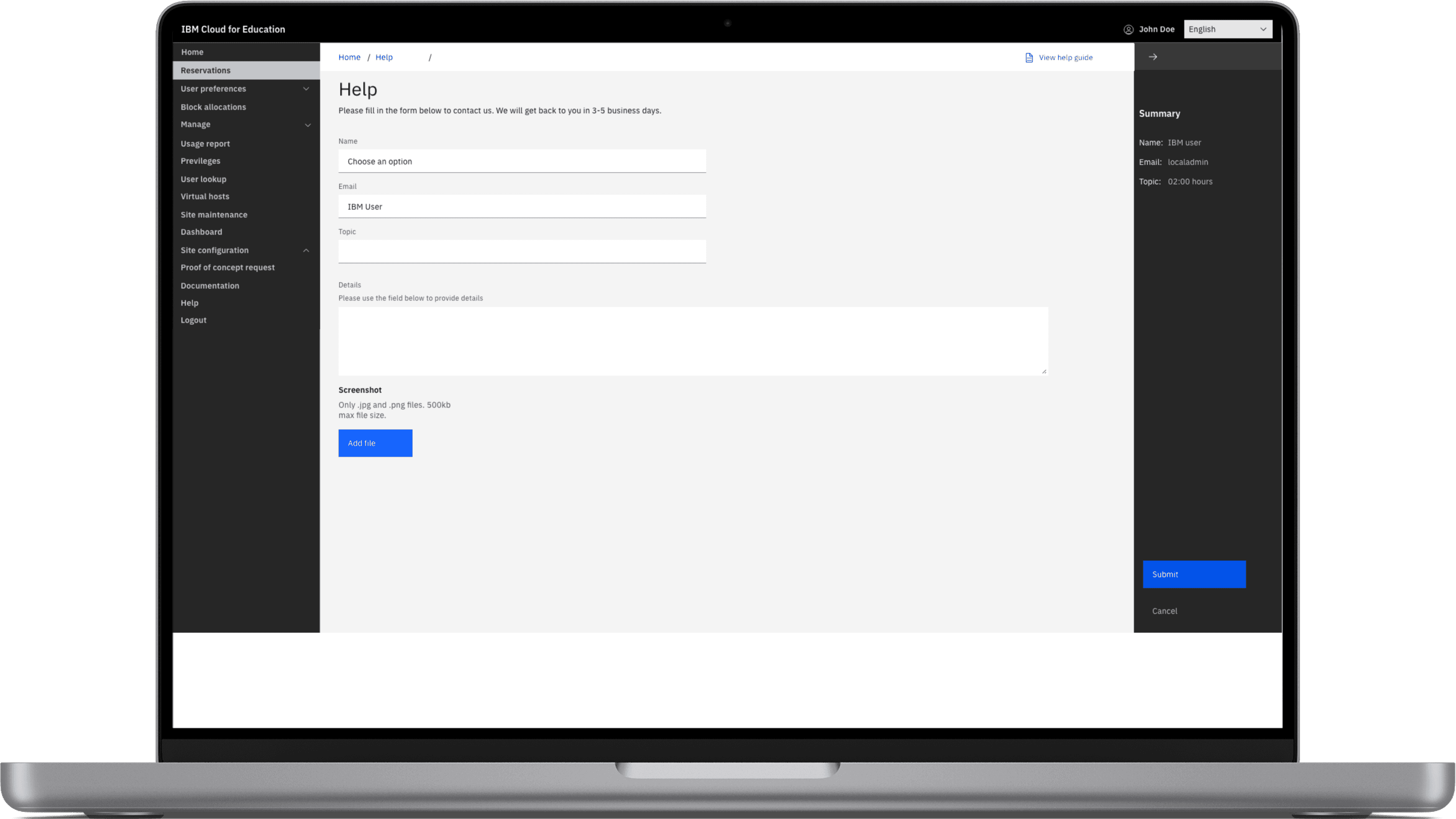
Help Page
Goal: Instructor and student are able to contact superadmins for help
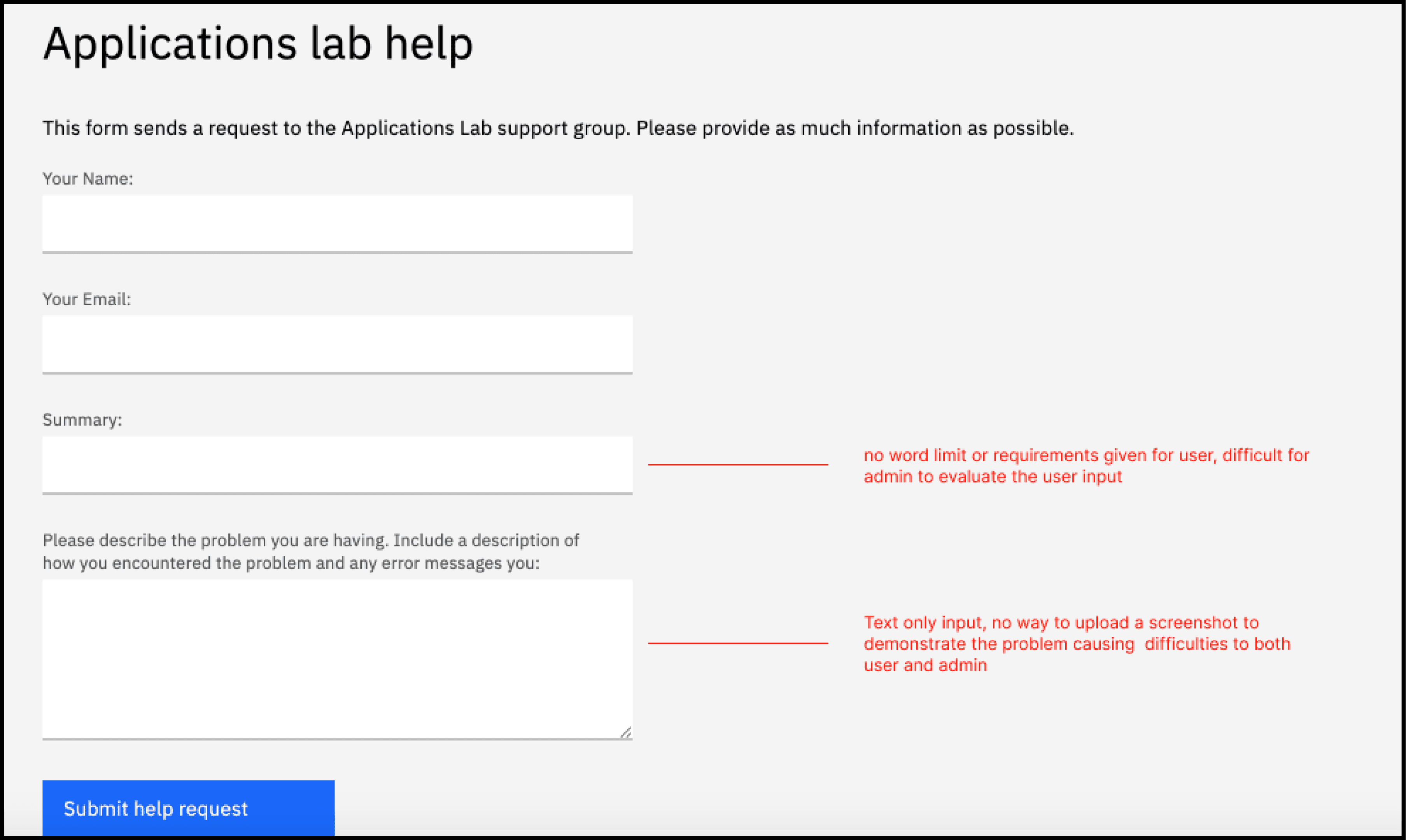
Concern:
text only input for users
Major Findings

V1 Design

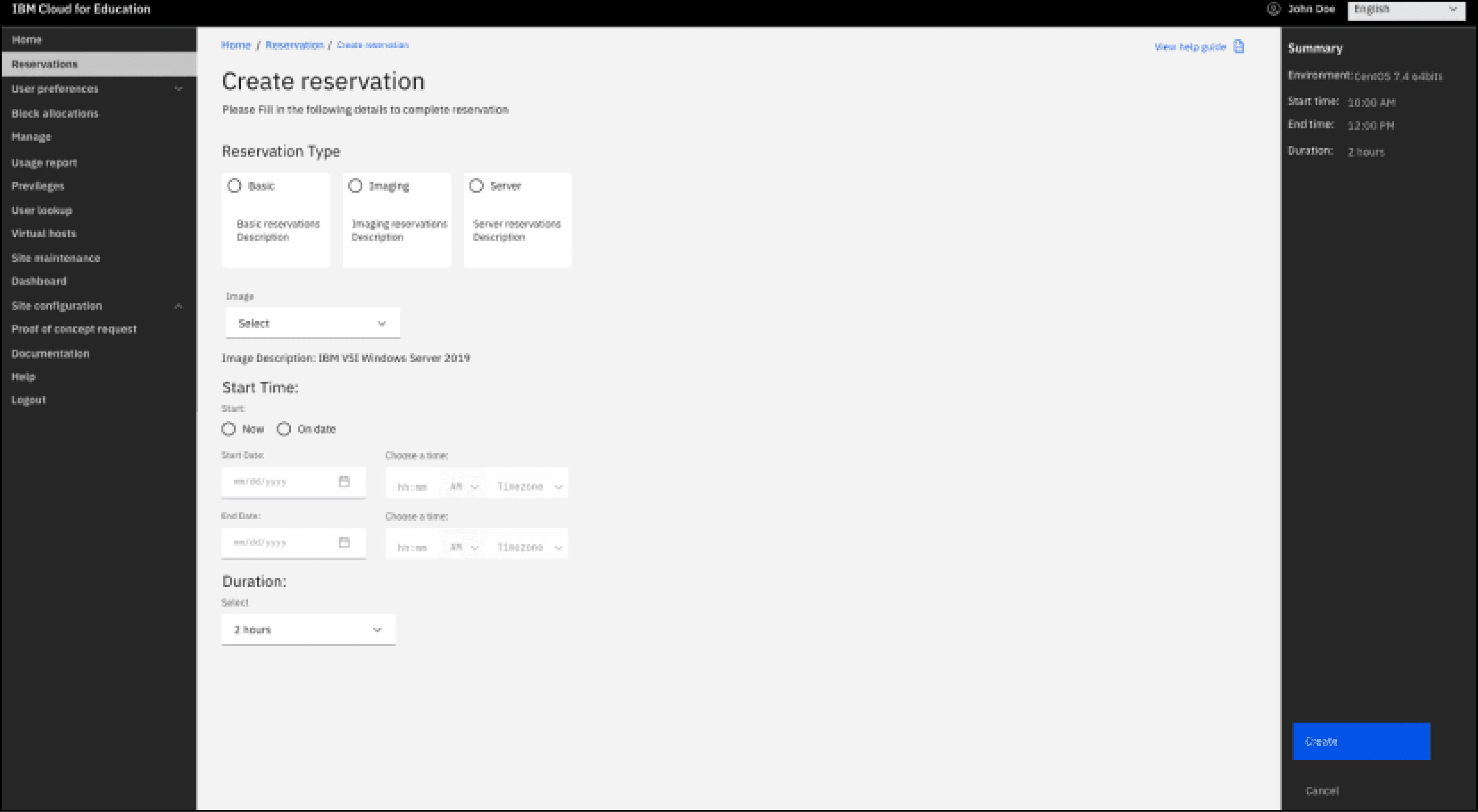
What worked, what didn’t
Worked
Information hierarchy
Proper placement of primary action buttons
Findable action items
Consistency
Didn't Work
Accessibility issues
Carbon theme not persistent
Consistent design following IBM Carbon theme